
Fill the room with people who send dates.
Studios do not swipe. Publish hours, rates and gear; requests land in your Inbox with a date and a session length.


 Scan to install
iPhone or Android camera
Set up. Receive. Finish.
- 1
Set up the room
Operating Hours or Message for Booking, and rates per Hour, Day or Block, or Free Collabs. Studio type, gear and up to 15 photos.
- 2
Receive
Requests land with a date, session length and note; accept, decline or propose a time. Go Available Now puts you under Walk-ins, up to four hours.
- 3
Finish it together
After the session, one side taps Mark as Complete and the other confirms. Payment settles between you and the client; no fee.
What your card carries.
- Studio type: Recording Studio, Mixing/Mastering Studio, Podcast Studio, Rehearsal Space.
- Gear: Microphones, Mixing Console, Soundproof Booth, Instruments Available.
- Hours, rates and walk-in status on your Spaces card.
- Up to 15 photos of the room.
- What do you do?
- You
- Your craft
- Your space
- Your rates
- Confirm you're a local
Inside the app.
- Match deckNo you receive requests instead.
- FeedYes Post Studio Time Open and Offer Studio Time; walk-in cards top nearby Feeds.
- BeatsNo .
- SpacesYes Where creatives find you: rate, walk-ins, city, how to book.
Real screens.
-
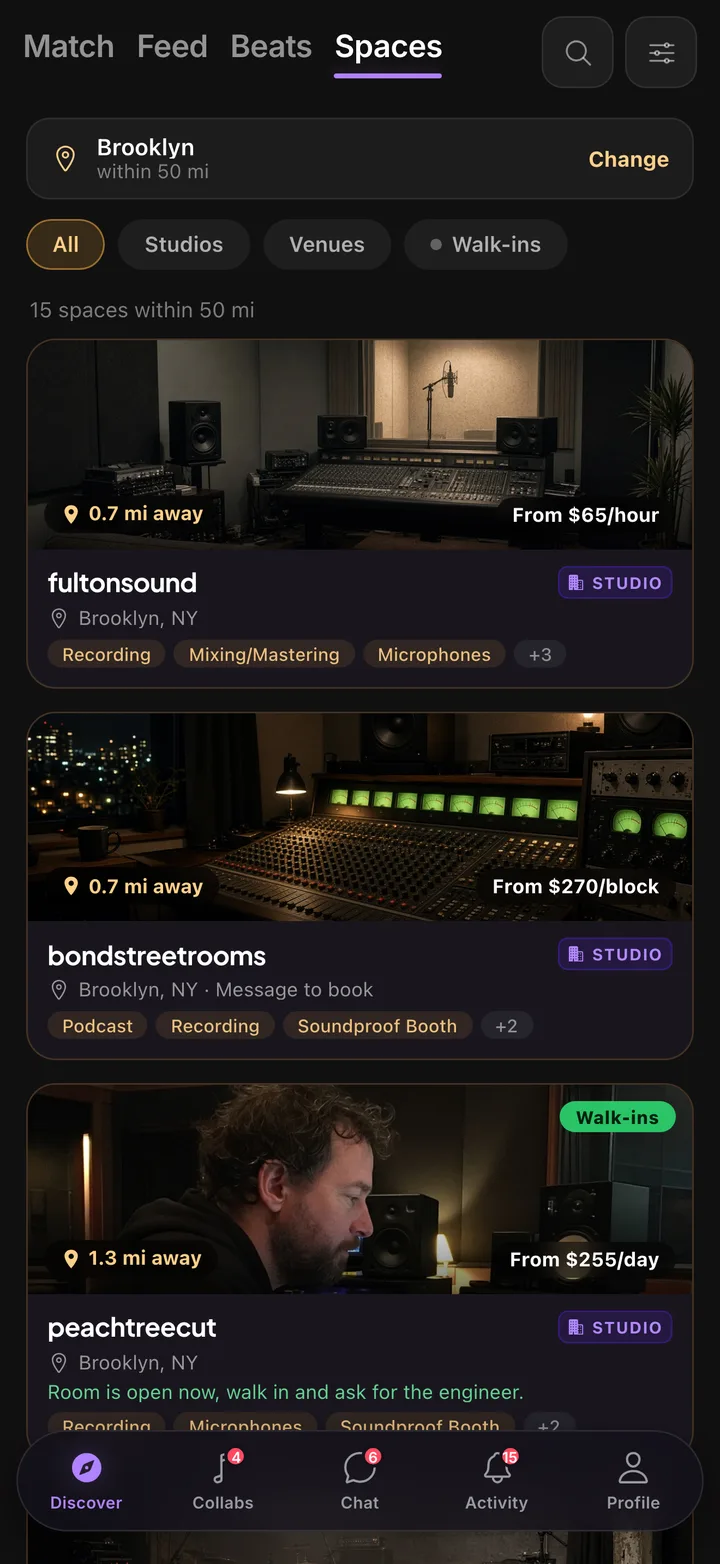
Your card in Spaces: rate, walk-ins, city.
-
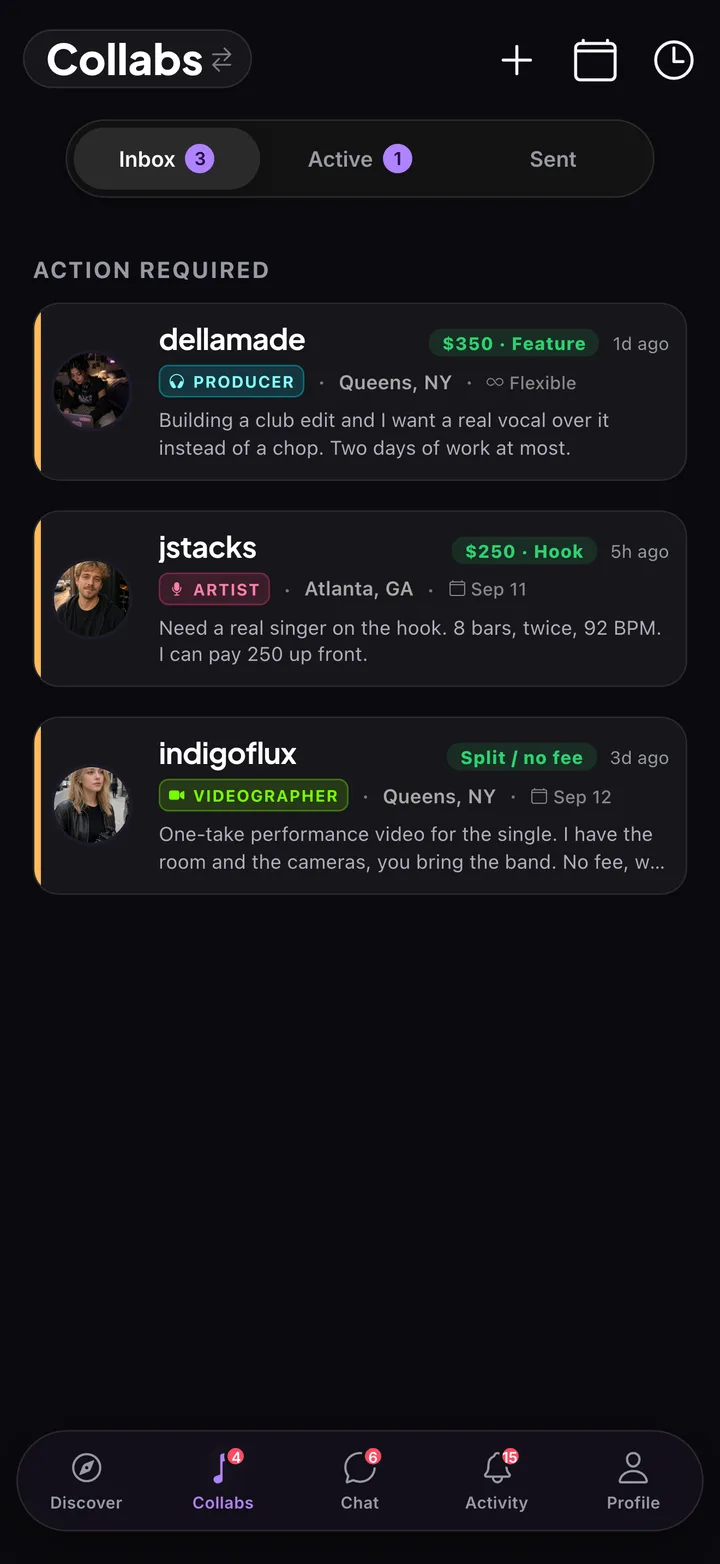
Requests arrive in your Inbox.
Questions studios ask.
Does KollabMe take a booking fee?
No. You set the rate, the client agrees it on the request, and you settle directly.
Do I have to publish a rate?
No, but without one your card shows Inquire instead of Book.
Can I list more than one room?
One bookable listing per studio account. List the room you book most; put the rest in your description.
Put the rate on the card.
Free to join. Pick I run a recording space that creatives book. and set up in about a minute.